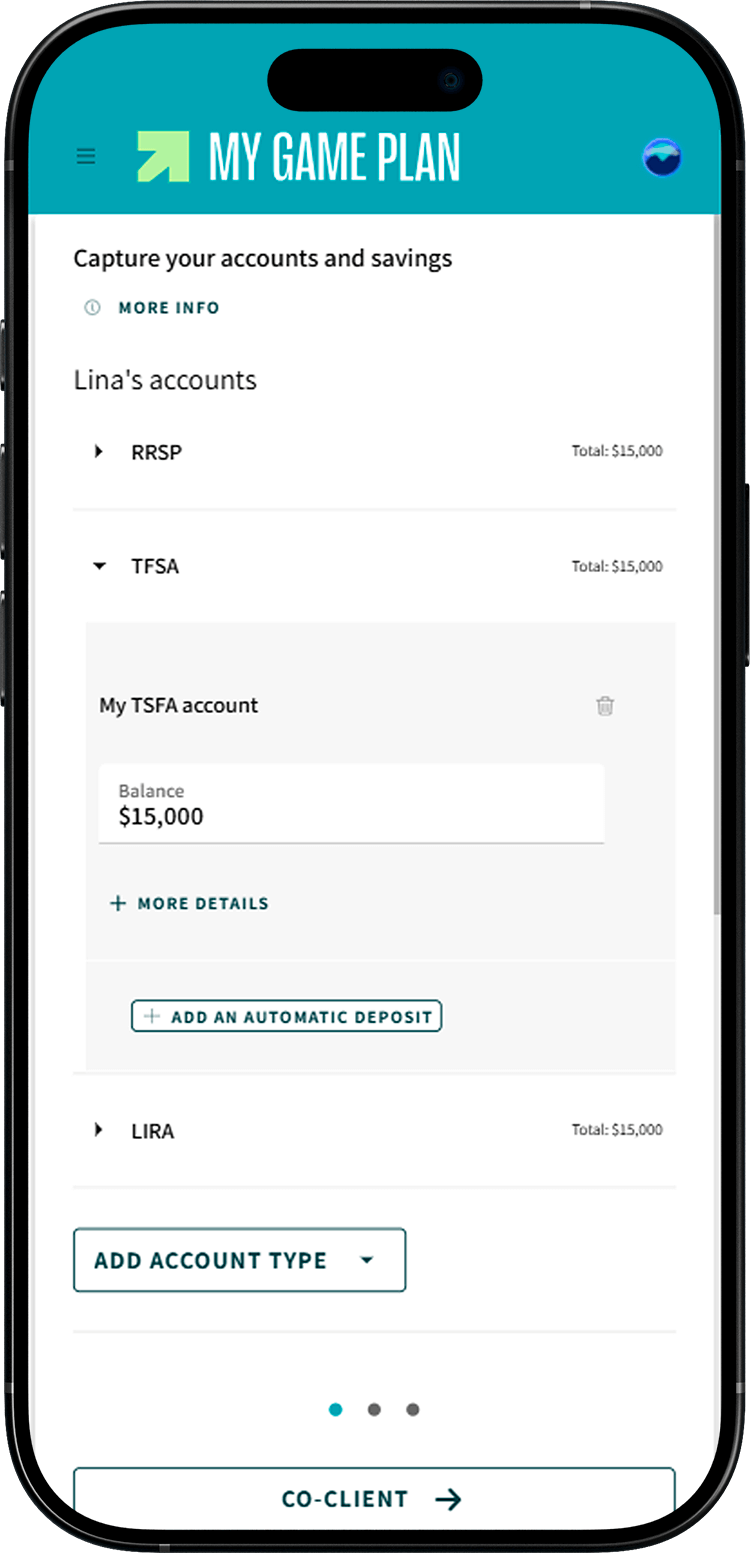
To get a complete picture of your savings, enter in My Game Plan the different accounts where you've set money aside. Here are the main types of accounts you can add:
- RRSP (Registered Retirement Savings Plan). An RRSP is a savings account that helps you save for retirement while reducing your taxable income. You only pay tax when you withdraw money from the RRSP.
- Spousal RRSP: An RRSP issued in your spouse's name, into which you can contribute annually based on your own contribution room.
- TFSA (Tax-Free Savings Account). A registered account where your savings can grow tax-free. Unlike the RRSP, contributions are not tax-deductible, but withdrawals are not taxed, making it a flexible savings vehicle.
- You may also have a group TFSA offered by your employer. This type of account allows you to contribute automatically through payroll deductions, while enjoying the same tax benefits as an individual TFSA.
- FHSA (First Home Savings Account). Similar to a TFSA, but designed to help you save for the purchase of your first home.
- RESP (Registered Education Savings Plan). This plan allows you to grow your savings tax-free to fund your children's post-secondary education.
- RRIF (Registered Retirement Income Fund). The RRIF lets you transfer money from your RRSP or spousal RRSP tax-free and receive retirement income.
- Bank account. This category includes chequing or savings accounts held at a financial institution.
- Non-registered account. Any type of account where you hold investments that is not registered with the federal government (i.e., not a TFSA, RRSP, or RESP). Cryptocurrency accounts are one example.

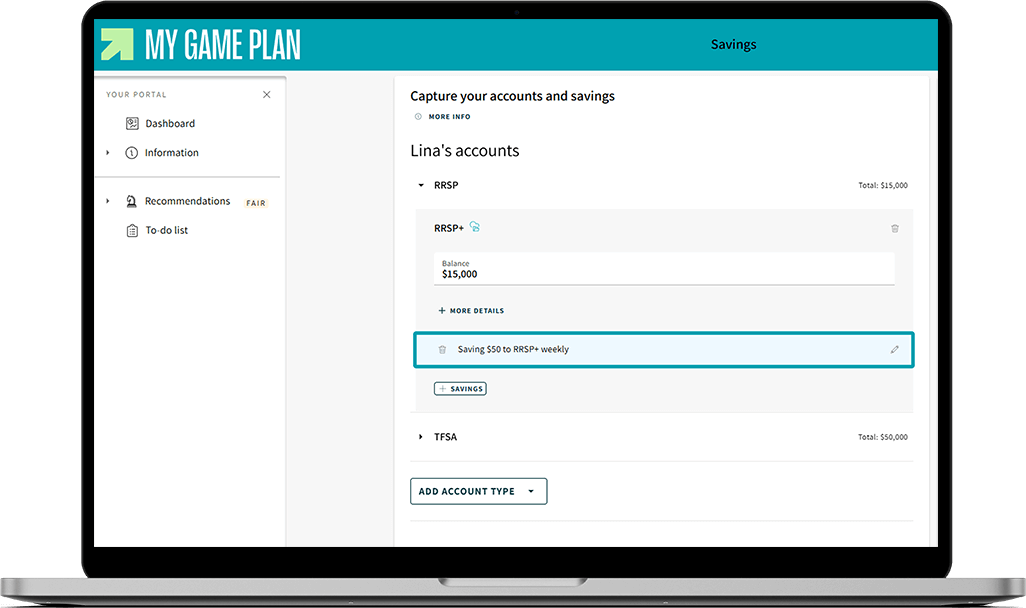
Do you have an RRSP+ with the Fonds or products with FlexiFonds?
These are already included in your plan and update automatically. However, make sure to check the amount of your payroll deduction or bank withdrawal.
×
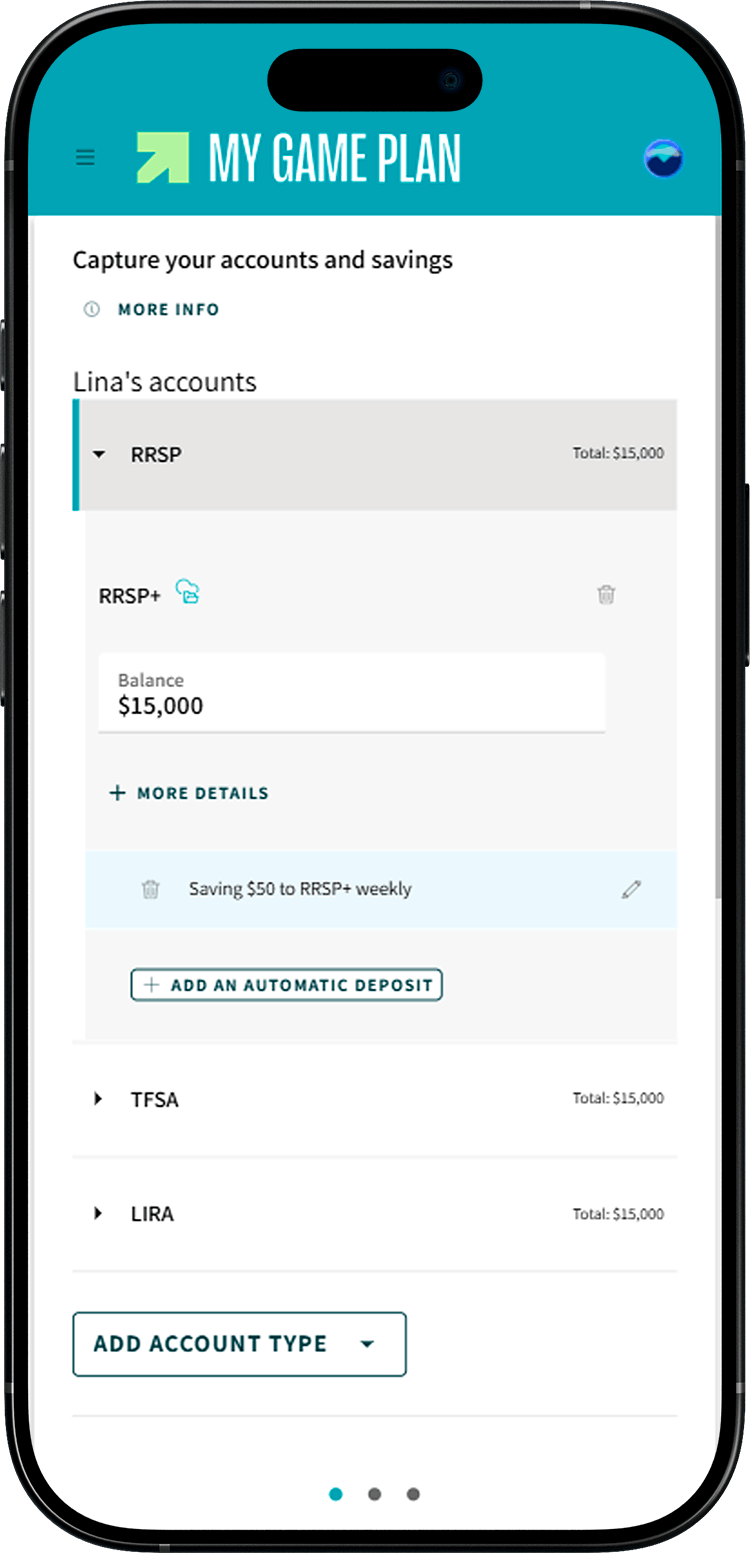
Enter your recurring savings
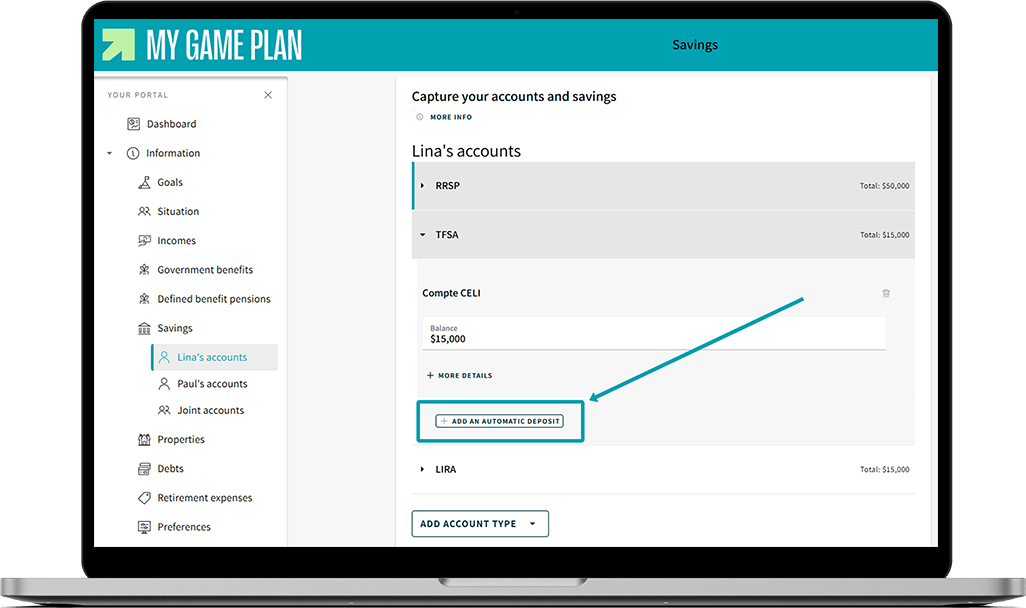
Do you regularly deposit money into one of these accounts? Click on Add an automatic deposit under the relevant account to indicate the amount and frequency of your recurring savings.
×